
A one-stop-shop for cleaning, optimising and protecting your device
DU Speed Booster (Cleaner) allows you to optimize the performance of your device and free space for storing files. It’s a very easy to use app, of an excellent quality, and it’s completely free.
Top Recommended Alternative

Make the most of your Android device
DU Speed Booster (Cleaner) has got a ton of useful features, which are divided into several categories that can be accessed from the main user interface.
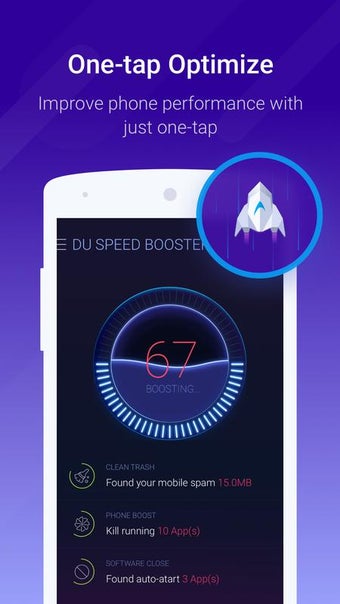
The Accelerator option allows you to quickly start an optimization process, freeing up RAM on your device. You can also see the list of applications that are currently running, and disable any you consider unnecessary.
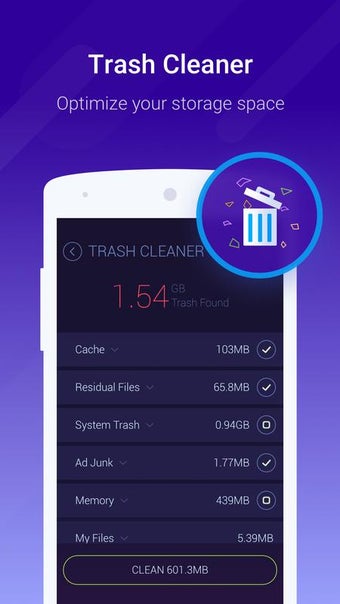
Trash Cleaner frees space on your Android device, removing unnecessary files such as temporary files, cache, and more.
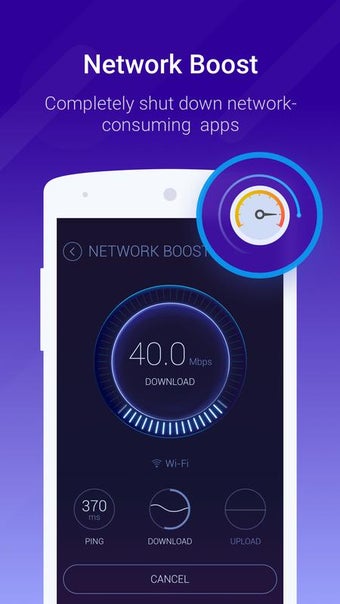
DU Speed Booster (Cleaner) can also perform a speed test to check the performance of your internet connection by analyzing the speed of your uploads, downloads, and pings. It also includes a history of the tests you have carried out, and an unusual feature that compares your results with other users scattered across the world.
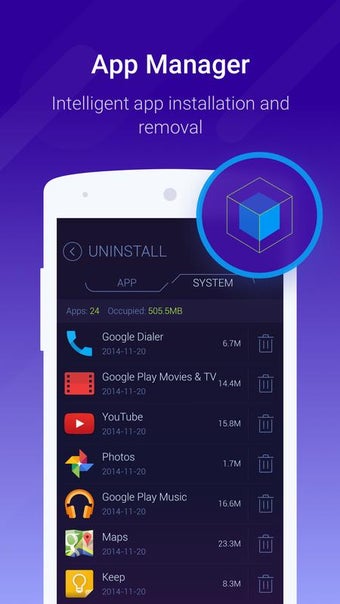
The Application Manager in DU Speed Booster (Cleaner) includes several sub menus, one of which allows you to uninstall applications you no longer use and shows, for each one, the install date and how much space it takes up on your device. The APK Manager allows you to select APKs you want to delete (so you can recover space), as well as giving you the option to continue to install more APKs. Through the Move to SD Card option, you can transfer applications to your memory card, while the Top Free menu recommends interesting applications to download.
The Security menu in DU Speed Booster (Cleaner) integrates an antivirus engine that analyzes the system for possible malware, while the Permissions Manager tells you which permissions you have granted for individual applications installed on your Android device.
Game Booster optimizes device resources when you are playing games, freeing RAM when a game is running, and disabling background applications to allocate more resources to the game.
Looks great and is easy to use
DU Speed Booster (Cleaner) has a very user friendly interface and an attractive design. The interface is clear and well organized, less experienced users will be able to easy get up and running.
From the main screen you can access all the app’s main features: Accelerator, Empty Trash, Application Manager, Speed Test, and Security and Battery Saver (this last one takes you to Google Play to download a separate application).
One of the best apps for optimizing your device
DU Speed Booster (Cleaner) is an excellent choice for optimizing and maintaining your device. It offers many features, has an integrated antivirus engine, and its intuitive design makes it suitable for all levels of users.
Overall, it’s a credible alternative to Clean Master or AMC Security.


.jpg)
.jpg)
.jpg)
.jpg)
.jpg)
.jpg)
.jpg)